WooCommerce Abandoned Cart Emails: The Complete Recovery Playbook
Learn how to recover abandoned carts in WooCommerce with a proven 3-email sequence. Step-by-step guide to setting up automated cart recovery emails with WP Outreach.

The WP Outreach Editorial Staff is a team of WordPress…
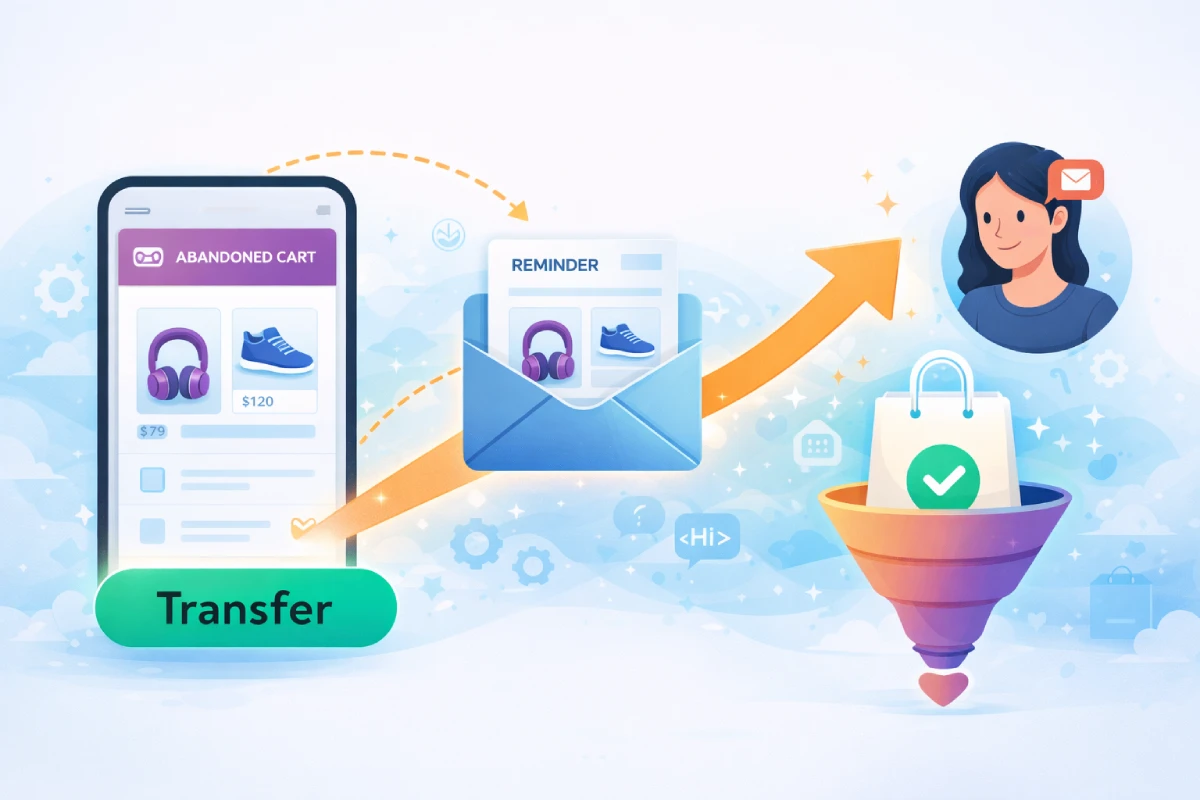
Every WooCommerce store owner knows the frustration: a customer adds products to their cart, gets all the way to checkout, and then… disappears. With an average cart abandonment rate of 70%, this isn’t just a minor annoyance—it’s potentially thousands of dollars in lost revenue every month.
The good news? Abandoned cart emails are one of the highest-ROI marketing tactics available to e-commerce businesses. Studies show that for every $1 invested in cart recovery emails, businesses see an average return of $5.44. In this complete playbook, we’ll show you exactly how to set up a winning abandoned cart email sequence using WP Outreach and WooCommerce.
Why Abandoned Cart Emails Work So Well
Before diving into the how-to, let’s understand why abandoned cart emails are so effective:
- High intent: These customers already demonstrated purchase intent by adding items to their cart
- Timely relevance: The products are still fresh in their mind
- Personalization: You can show them exactly what they left behind
- Multiple touchpoints: A sequence of emails increases recovery chances without being pushy
According to recent data, abandoned cart emails achieve an average open rate of 45%—nearly three times higher than standard promotional emails. The conversion rate? Around 10-15% of abandoned carts can be recovered with a well-crafted email sequence.
Setting Up Abandoned Cart Emails with WP Outreach
WP Outreach integrates seamlessly with WooCommerce to track cart abandonment and trigger automated email sequences. Here’s how to set it up:
Step 1: Enable WooCommerce Integration
Navigate to WP Outreach → Settings → Integrations and enable the WooCommerce connection. This allows WP Outreach to:
- Track cart contents in real-time
- Identify when carts are abandoned (typically after 30-60 minutes of inactivity)
- Access customer email addresses for logged-in users and checkout form entries
- Pull product data including images, prices, and descriptions
Step 2: Create Your Abandoned Cart Automation
Go to WP Outreach → Automations → New Automation and select “WooCommerce Abandoned Cart” as your trigger. Set the abandonment threshold (we recommend 1 hour for the first email).
Step 3: Design Your Email Sequence
This is where the magic happens. Let’s build a proven 3-email recovery sequence.
The 3-Email Cart Recovery Sequence
The most effective abandoned cart strategies use a sequence of emails, each with a different approach and timing. Here’s the proven formula:
Email 1: The Gentle Reminder (1 Hour After Abandonment)
Subject Line Ideas:
- “Did you forget something?”
- “Your cart is waiting for you”
- “You left items in your cart”
Content Strategy: Keep this email simple and helpful, not salesy. The goal is to remind them about their cart and make it easy to complete the purchase.
Key Elements:
- Clear product images of abandoned items
- Product names and prices
- A prominent “Complete Your Order” button
- Customer support contact info (in case they had questions)
Example Copy:
Hi [First Name],
Looks like you left some items in your cart. We’ve saved them for you!
[Product Image Block]
Ready to complete your order? Just click below to pick up where you left off.
[Complete Your Order Button]
Questions? Reply to this email and we’ll help you out.
Email 2: The Value Builder (24 Hours After Abandonment)
Subject Line Ideas:
- “Still thinking about [Product Name]?”
- “Here’s why customers love [Product Name]”
- “Your cart items are selling fast”
Content Strategy: Address potential objections and build value. Include social proof, product benefits, or answer common questions.
Key Elements:
- Customer reviews or testimonials
- Product benefits or features they might have missed
- Shipping information or return policy reassurance
- Low stock warnings (if applicable and true)
Example Copy:
Hi [First Name],
We noticed you were checking out [Product Name]. Here’s what other customers are saying:
⭐⭐⭐⭐⭐ “Exactly what I needed. Fast shipping too!” – Sarah M.
Just so you know, we offer:
- Free shipping on orders over $50
- 30-day hassle-free returns
- Secure checkout
[Complete Your Order Button]
Email 3: The Urgency Creator (48-72 Hours After Abandonment)
Subject Line Ideas:
- “Last chance: Your cart expires soon”
- “Don’t miss out—10% off your cart”
- “Final reminder: [Product Name] is still available”
Content Strategy: Create urgency and, if appropriate for your business, offer an incentive. This is your last chance to recover the sale.
Key Elements:
- Time-limited discount code (optional but effective)
- Cart expiration warning
- Scarcity messaging (if genuine)
- Clear, urgent call-to-action
Example Copy:
Hi [First Name],
Your cart will expire in 24 hours. Before it does, here’s a special offer just for you:
Use code COMEBACK10 for 10% off your order
[Product Image Block]
This code expires at midnight—don’t miss out!
[Complete Your Order – Save 10% Button]
Best Practices for Higher Conversion Rates
Timing Matters
The timing of your emails significantly impacts recovery rates:
- Email 1: 1 hour after abandonment (catches “I got distracted” shoppers)
- Email 2: 24 hours after abandonment (gives time to consider)
- Email 3: 48-72 hours after abandonment (final push before moving on)
Avoid sending too many emails too quickly—this can feel aggressive and lead to unsubscribes.
Subject Lines That Get Opened
Your subject line determines whether your email gets opened. Best practices:
- Keep it short (under 50 characters)
- Create curiosity without being clickbaity
- Personalize when possible (include product name or first name)
- Test emojis—they can increase open rates by 15-25%
- Avoid spam trigger words like “FREE!!!” or “Act now!!!”
Personalization Beyond First Names
WP Outreach allows you to personalize based on:
- Specific products in the cart
- Cart value (adjust messaging for high-value carts)
- Customer purchase history (returning vs. new customers)
- Product categories
Advanced Tactics: Cart Value Segmentation
Not all abandoned carts are created equal. A $500 cart deserves different treatment than a $25 cart. Here’s how to segment:
High-Value Carts ($200+)
- Send emails sooner (within 30 minutes)
- Offer phone or live chat support
- Consider higher discount incentives
- Add extra emails to the sequence
Medium-Value Carts ($50-$200)
- Standard 3-email sequence works well
- Moderate discount (5-10%) in final email
- Focus on social proof and value
Low-Value Carts (Under $50)
- Simpler 2-email sequence may suffice
- Consider free shipping incentive instead of discount
- Bundle recommendations to increase order value
In WP Outreach, you can create separate automations for each segment using cart value conditions in your trigger settings.
Dynamic Content: Show What They Left Behind
Generic emails don’t perform as well as personalized ones. WP Outreach’s dynamic content blocks let you automatically insert:
- Product images from the abandoned cart
- Product names and current prices
- Product descriptions
- Direct links back to cart
This level of personalization can increase click-through rates by up to 150% compared to generic reminder emails.
Measuring Success: Key Metrics to Track
To optimize your abandoned cart emails, monitor these metrics in your WP Outreach dashboard:
Primary Metrics
- Recovery Rate: Percentage of abandoned carts that convert (target: 10-15%)
- Revenue Recovered: Total dollars recovered through the sequence
- ROI: Revenue recovered divided by email costs (should be 400%+)
Email Performance Metrics
- Open Rate: Target 40-50% for abandoned cart emails
- Click-Through Rate: Target 10-15%
- Conversion Rate: Clicks that result in purchases
Sequence Optimization
- Which email in the sequence converts most?
- What subject lines perform best?
- Does offering a discount increase or decrease overall revenue?
Review these metrics weekly and A/B test different elements to continuously improve performance.
Common Mistakes to Avoid
Before you launch your abandoned cart sequence, avoid these pitfalls:
- Sending too many emails: 3-4 emails max. Beyond that, you’re likely annoying potential customers.
- Generic messaging: Always include the specific products they abandoned.
- Immediate discounts: Don’t offer a discount in your first email—many customers would have converted anyway.
- Broken links: Test your cart recovery links thoroughly. A broken link means a lost sale.
- Mobile-unfriendly design: Over 60% of emails are opened on mobile devices.
- No unsubscribe option: Always include one to stay compliant and maintain list health.
Why Self-Hosted Email Beats Third-Party Services
Using WP Outreach for your abandoned cart emails offers advantages over external email marketing services:
- Data ownership: Your customer data stays on your servers
- Cost efficiency: No per-email fees eating into your recovered revenue
- Seamless integration: Native WooCommerce connection means better data accuracy
- No platform lock-in: Your automations and data are always yours
- Amazon SES pricing: Send thousands of recovery emails for pennies
Start Recovering Lost Revenue Today
Abandoned cart emails are one of the easiest wins in e-commerce marketing. With a 70% abandonment rate, you’re likely leaving significant money on the table every day.
Here’s your action plan:
- Enable WooCommerce integration in WP Outreach
- Create a 3-email abandoned cart automation
- Set up cart value segmentation for personalized messaging
- Launch and monitor your recovery metrics
- Optimize based on data
With WP Outreach, you can have your first abandoned cart email sequence live in under an hour. And unlike third-party services that charge per email, you own your data and pay only for the infrastructure—often just a few dollars per month with Amazon SES.
Ready to stop losing sales to abandoned carts? Try WP Outreach today and start recovering revenue with automated, personalized email sequences that work while you sleep.

Written by
WP Outreach Editorial Staff
The WP Outreach Editorial Staff is a team of WordPress experts here to help you understand email marketing for WordPress—and get the most out of WP Outreach with clear guides, tips, and best practices.
View all posts