How WordPress Email Automation Turns Subscribers Into Paying Customers
Discover how WordPress email automation can transform your business. Learn how Outreach's visual workflow builder helps you nurture leads, boost sales, and convert subscribers into loyal customers—all on autopilot.

The WP Outreach Editorial Staff is a team of WordPress…
Let’s be honest—manually sending emails to every subscriber is exhausting. You’ve got a business to run, products to ship, and a life outside your inbox.
Here’s the thing: while you’re sleeping, your competitors are nurturing leads, closing sales, and building relationships. Not because they work 24/7, but because they’ve discovered the power of WordPress email automation.
And now, with Outreach, you can do the same—directly from your WordPress dashboard.
What Exactly Is Email Automation (And Why Should You Care)?
Think of email automation as your tireless virtual assistant. It sends the right message to the right person at exactly the right moment—without you pressing a single button.
Here’s a quick reality check:
- Automated emails generate nearly 40% of all email-driven revenue, despite making up only 3% of total sends (Omnisend, 2025)
- Personalized automated emails see a 70.2% open rate—that’s almost triple the industry average
- They also achieve 152% higher click-through rates than manually sent emails
Translation? Automation isn’t just convenient—it’s profitable.
The Problem With “Spray and Pray” Email Marketing
Most businesses still do email marketing the old way:
- Write an email
- Send it to everyone
- Hope for the best
The result? Low open rates, high unsubscribes, and that sinking feeling that your emails are going straight to spam (or worse—ignored).
Here’s why this approach fails:
- No personalization — Everyone gets the same generic message
- Wrong timing — You’re sending when you have time, not when they’re ready to buy
- No follow-up — A subscriber shows interest… then nothing. Radio silence.
This is exactly why we built Outreach’s automation engine.
Introducing Outreach’s Visual Workflow Builder
Outreach isn’t just another email plugin. It’s a complete email marketing automation platform built natively for WordPress.
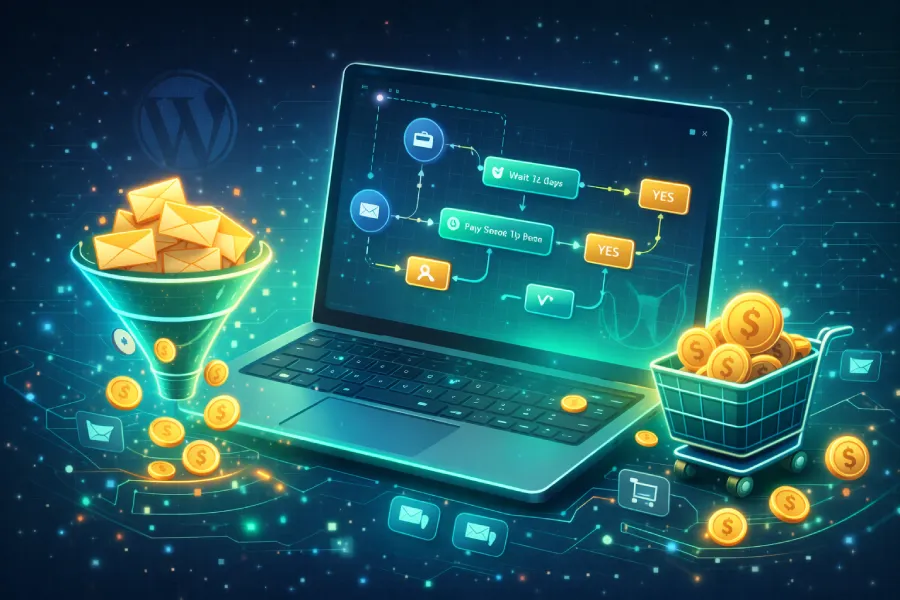
Our visual workflow builder lets you create sophisticated automation sequences using simple drag-and-drop—no coding required.
What Can You Automate?
Triggers — Start workflows based on subscriber actions:
- New subscriber joins a list
- Tag added or removed
- New post published (perfect for bloggers!)
- Custom webhook events (for developers)
Actions — What happens next:
- Send personalized emails
- Wait (hours, days, or weeks)
- Add or remove tags
- Move subscribers between lists
- Call external webhooks (Zapier, Make, custom APIs)
Conditions — Make smart decisions:
- Branch your workflow based on subscriber data
- Create different paths for different segments
- Deliver truly personalized experiences
5 Automation Workflows That Actually Drive Sales
Let me show you real-world examples that convert subscribers into customers.
1. The Welcome Sequence (Your First Impression)
When someone subscribes, they’re at peak interest. Don’t waste it.
Workflow:
[Trigger: Subscriber Created]
    ↓
[Send: Welcome email with free resource]
    ↓
[Wait: 2 days]
    ↓
[Send: Your story + best content]
    ↓
[Wait: 2 days]
    ↓
[Send: Problem you solve + soft pitch]
    ↓
[Wait: 3 days]
    ↓
[Send: Customer success story + offer]
Result: Welcome sequences get 42% open rates compared to just 25% for bulk emails (Litmus, 2026).
2. The Lead Nurturing Machine
Someone downloaded your free guide but hasn’t purchased? They need nurturing, not aggressive sales pitches.
Workflow:
[Trigger: Tag "Lead Magnet Downloaded"]
    ↓
[Wait: 1 day]
    ↓
[Send: "Did you get a chance to read it?"]
    ↓
[Wait: 3 days]
    ↓
[Send: Related blog post or tip]
    ↓
[Wait: 4 days]
    ↓
[Condition: Has visited pricing page?]
    ├─ Yes → [Send: Special offer]
    └─ No → [Send: More educational content]
3. The Re-engagement Campaign
Inactive subscribers aren’t dead—they’re just sleeping. Wake them up.
Workflow:
[Trigger: Tag "Inactive 30 Days" Added]
    ↓
[Send: "We miss you" with exclusive offer]
    ↓
[Wait: 5 days]
    ↓
[Condition: Opened email?]
    ├─ Yes → [Remove "Inactive" tag, continue nurturing]
    └─ No → [Send: "Last chance" email]
        ↓
    [Wait: 7 days]
        ↓
    [Condition: Still inactive?]
        ├─ Yes → [Remove from list]
        └─ No → [Welcome back sequence]
4. The Post-Purchase Upsell
The sale isn’t the end—it’s the beginning of a beautiful relationship.
Workflow:
[Trigger: Tag "Customer" Added]
    ↓
[Send: Thank you + what's next]
    ↓
[Wait: 3 days]
    ↓
[Send: Tips to get the most from their purchase]
    ↓
[Wait: 7 days]
    ↓
[Send: Complementary product recommendation]
    ↓
[Wait: 14 days]
    ↓
[Send: Review request + loyalty discount]
5. The Content Notification Workflow
Bloggers and content creators—this one’s for you.
Workflow:
[Trigger: Post Published]
    ↓
[Send: New content notification to subscribers]
    ↓
[Wait: 2 days]
    ↓
[Condition: Clicked?]
    ├─ Yes → [Add tag "Engaged Reader"]
    └─ No → [Send: "In case you missed it" reminder]
Why Outreach Beats the Competition
100% WordPress Native
No external SaaS. No monthly fees based on subscriber count. Everything lives in your WordPress dashboard.
Visual Workflow Builder
Powered by Vue Flow, our drag-and-drop canvas makes complex automations simple. Create branching logic, conditions, and multi-step sequences visually.
Multiple Sending Options
- WP Mail — Use your server (free)
- SMTP — Connect any SMTP provider
- Amazon SES — Send millions for pennies (literally $0.10 per 1,000 emails)
Complete Tracking
Know exactly what’s happening:
- Open rates
- Click rates
- Link-level analytics
- Per-subscriber engagement history
Merge Tags & Personalization
Make every email feel personal:
{{first_name}}— Subscriber’s name{{post_title}}— Latest post title{{unsubscribe_url}}— One-click unsubscribe- Custom fallbacks:
{{first_name|Friend}}
The Numbers Don’t Lie
According to Salesmate’s 2026 Marketing Automation Trends, automation is evolving from simple workflows into intelligent systems capable of real-time decision making.
And Birdeye’s research confirms that 2026 marketing will be defined by three pillars: intelligence, automation, and personalization.
Outreach delivers all three.
Getting Started Is Easier Than You Think
Here’s how to launch your first automation in under 10 minutes:
- Install Outreach on your WordPress site
- Create a list and import your subscribers
- Go to Automations → Add New
- Select a trigger (e.g., “Subscriber Created”)
- Add actions (Send email → Wait → Send another)
- Activate and watch the magic happen
That’s it. No code. No complexity. Just results.
Stop Sending Emails. Start Building Relationships.
Here’s the truth: your subscribers don’t want to be “marketed to.” They want value. They want relevance. They want to feel understood.
WordPress email automation with Outreach lets you deliver exactly that—at scale, on autopilot.
While your competitors are still manually sending newsletters, you’ll be:
- Nurturing leads while you sleep
- Converting subscribers into customers automatically
- Building lasting relationships that drive repeat purchases
Ready to transform your email marketing?
Have questions about email automation? Drop them in the comments below, or reach out to our support team. We’re here to help you succeed.

Written by
WP Outreach Editorial Staff
The WP Outreach Editorial Staff is a team of WordPress experts here to help you understand email marketing for WordPress—and get the most out of WP Outreach with clear guides, tips, and best practices.
View all posts