
WordPress User Registered Trigger
The WordPress User Registered trigger fires when a new WordPress user account is created.
When It Fires
- New user registers through WordPress registration form
- Admin creates a new user account
- User is created via a membership plugin
- WooCommerce customer account is created
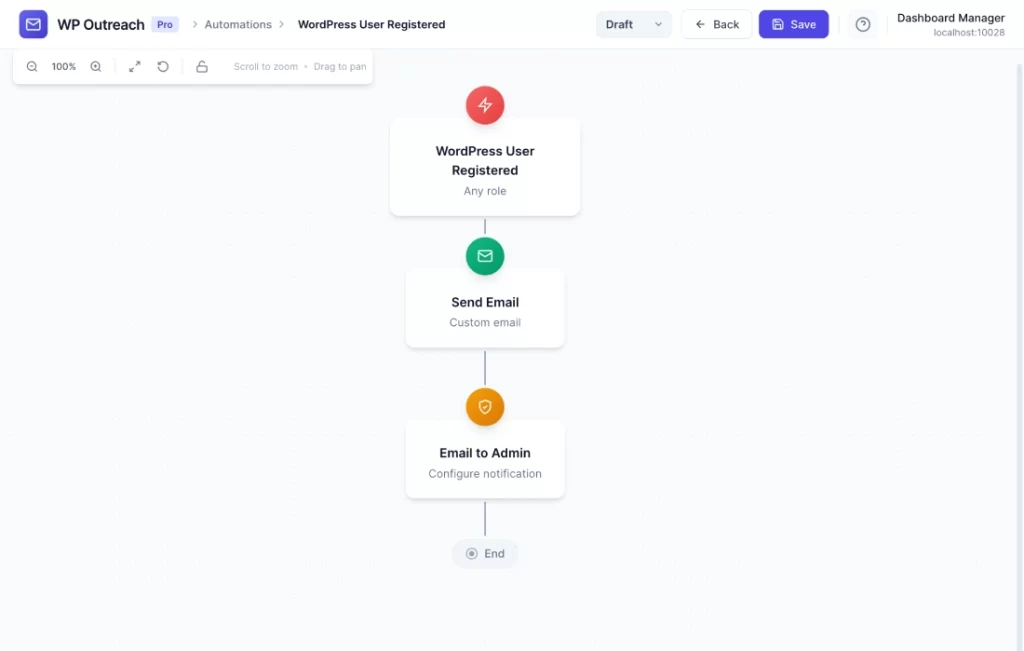
Configuration Options
| Option | Description |
|---|---|
| User Roles | Multi-select to filter by specific user roles. Leave empty to trigger for any role. |
Available Data
| Variable | Description |
|---|---|
{{email}} | User’s email address |
{{first_name}} | First name from user profile |
{{last_name}} | Last name from user profile |
{{display_name}} | Display name |
{{user_login}} | Username |
{{user_role}} | Primary user role |
Common Use Cases
Welcome New Members
- WP User Registered: User Roles = “Subscriber”
- Send Email: “Welcome to our site!”
- Add to List: “Members”
New Customer Onboarding
- WP User Registered: User Roles = “Customer”
- Send Email: “Welcome! Here’s how to get started”
- Wait: 3 days
- Send Email: “Need help? Here are our top resources”
Notify Admin of New Registrations
- WP User Registered: Any role
- Webhook Call: Send notification to Slack
Pro Tips
- Use role filtering to send different onboarding sequences for different membership tiers
- This trigger automatically creates a subscriber from the WordPress user
- Works great with membership plugins like WP Pro Membership
Last updated: January 14, 2026