
WooCommerce Triggers
WP Outreach integrates with WooCommerce to trigger automations based on e-commerce events. Build powerful customer journeys based on purchases, cart activity, and customer lifecycle.
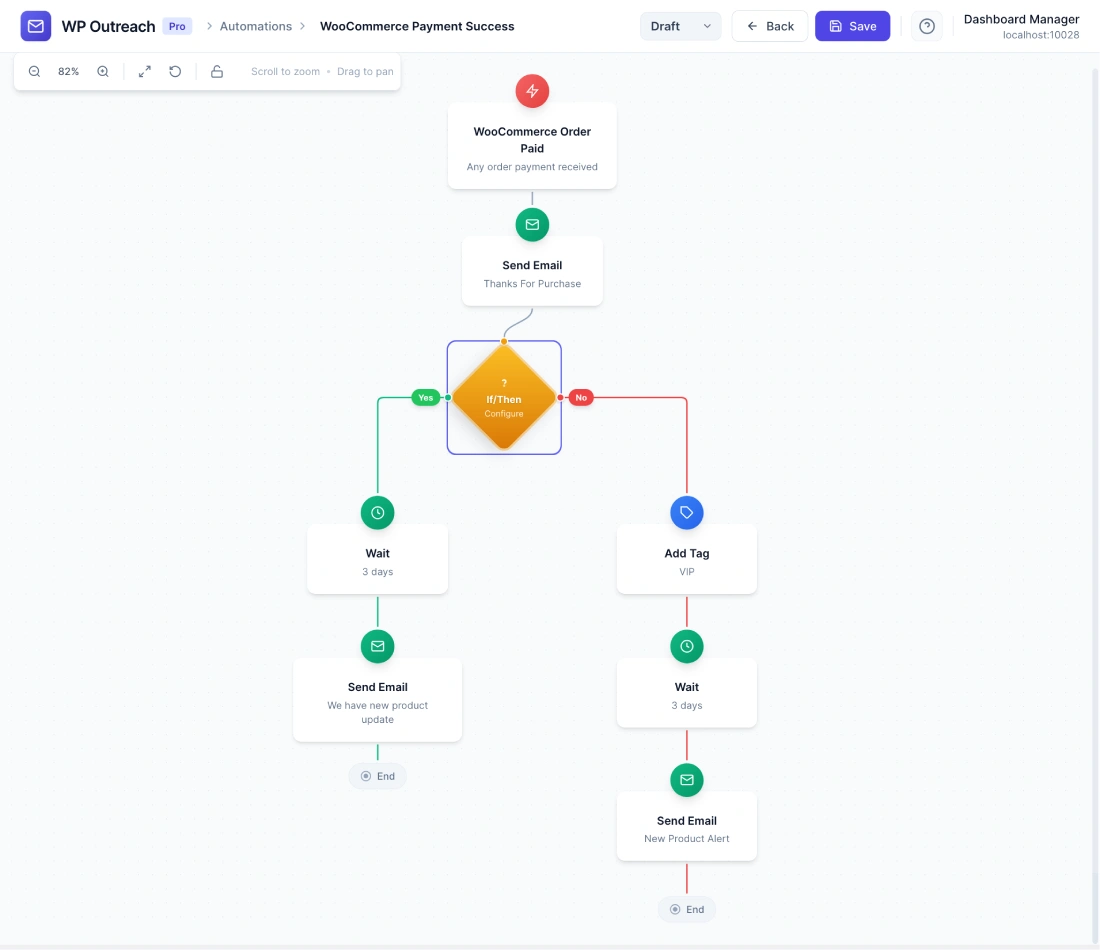
Available Triggers
Order Completed
Fires when a customer completes a purchase (order status changes to “completed”).
Configuration Options
- Product (Optional) – Trigger only for orders containing specific product
- Category (Optional) – Trigger only for orders containing products from specific category
- Minimum Order Value (Optional) – Only trigger for orders above a certain amount
Available Data
| Merge Tag | Description |
|---|---|
{{subscriber.email}} | Customer email |
{{subscriber.first_name}} | Billing first name |
{{subscriber.last_name}} | Billing last name |
{{order_id}} | WooCommerce order ID |
{{order_total}} | Order total amount |
{{order_date}} | Date of purchase |
{{product_names}} | List of purchased products |
{{order_url}} | Link to order details |
Order Created
Fires when a new order is placed (regardless of payment status). Useful for sending order confirmations.
Cart Abandoned
Fires when a customer adds items to cart but does not complete checkout within a specified time period.
Configuration Options
- Wait Time – How long after cart activity to trigger (1 hour, 4 hours, 24 hours, etc.)
- Minimum Cart Value (Optional) – Only trigger for carts above a certain amount
Customer First Purchase
Fires only when a customer makes their first-ever purchase. Does not fire for repeat customers.
Product Reviewed
Fires when a customer leaves a product review.
Common Use Cases
- Post-Purchase Follow-up – Send thank you email, product tips, or review request after purchase
- Cart Recovery – Send reminder emails to customers who abandoned their cart
- Welcome New Customers – Special welcome sequence for first-time buyers
- Cross-sell/Upsell – Recommend related products based on purchase history
- VIP Recognition – Tag high-value customers and send exclusive offers
- Review Requests – Request product reviews X days after purchase
- Replenishment Reminders – Remind customers to reorder consumable products
Order Status Triggers
Trigger automations based on specific order status changes:
| Status Change | Use Case |
|---|---|
| Pending → Processing | Order confirmation received |
| Processing → Completed | Order shipped/delivered |
| Any → On-Hold | Payment issue notification |
| Any → Cancelled | Win-back campaign |
| Any → Refunded | Feedback request |
Pro Tips
- Use product/category filters to send highly relevant follow-up content
- Combine with wait steps for perfectly timed cart abandonment emails (1hr, 24hr, 72hr)
- Tag customers based on purchase categories for future segmentation
- Set up different sequences for first-time vs. repeat customers
- Use order value conditions to identify VIP customers
- Consider time zones when sending cart abandonment emails
Requirements
- WooCommerce plugin must be installed and active
- For cart abandonment: Customers must be logged in or have provided email at checkout
Last updated: January 14, 2026