
Subscriber Joins List Trigger
The Subscriber Joins List trigger fires when a subscriber is added to a specific list (or any list).
When It Fires
This trigger activates when:
- A new subscriber signs up and is assigned to a list
- An existing subscriber is manually added to a new list
- An automation adds the subscriber to a list
- API call adds subscriber to a list
Configuration Options
| Option | Description |
|---|---|
| List | Select a specific list, or leave as “Any list” to trigger for all lists |
Available Data (Context)
| Variable | Description |
|---|---|
{{email}} | Subscriber’s email address |
{{first_name}} | First name |
{{last_name}} | Last name |
{{list_id}} | The ID of the list they joined |
{{list_name}} | The name of the list they joined |
Common Use Cases
List-Specific Welcome Sequence
Send different welcome emails based on which list subscribers join:
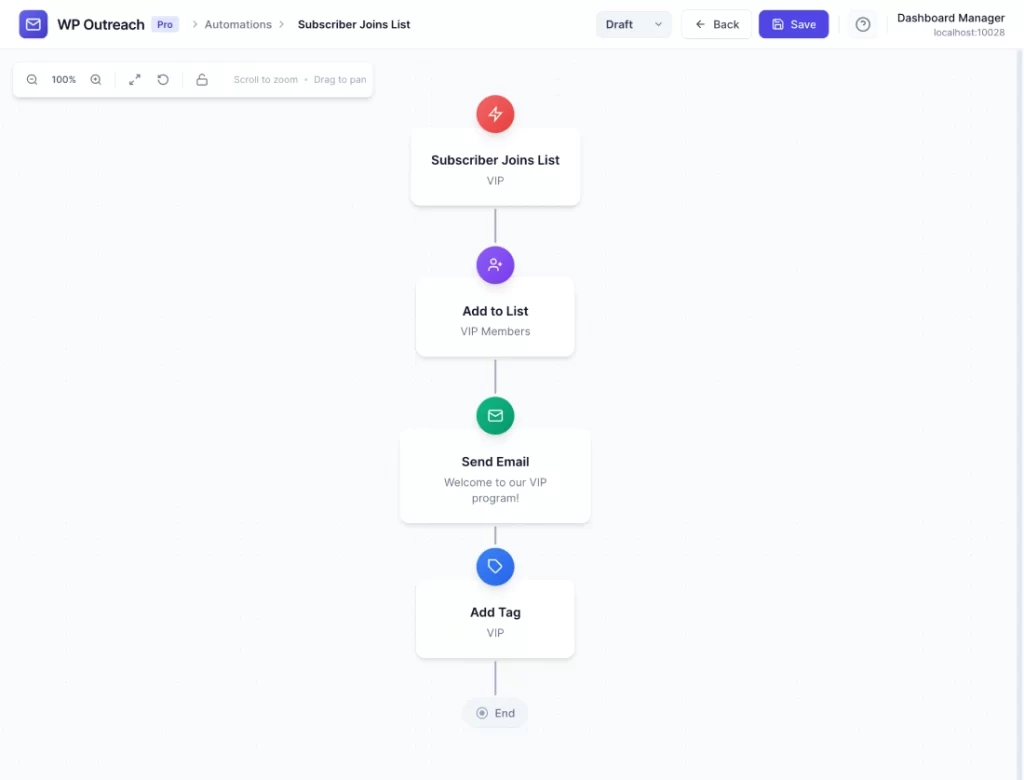
Automation 1: VIP List Welcome
  Trigger: Subscriber Joins List → "VIP Members"
  → Send Email: "Welcome to our VIP program!"
  → Add Tag: "vip"

Automation 2: Newsletter Welcome
  Trigger: Subscriber Joins List → "Newsletter"
  → Send Email: "Thanks for subscribing to our newsletter!"
Course Onboarding
Deliver course content when someone joins a course list:
- Subscriber Joins List → “Free Course”
- Send Email: “Day 1: Getting Started”
- Wait: 1 day
- Send Email: “Day 2: Core Concepts”
- Wait: 1 day
- Send Email: “Day 3: Advanced Tips”
- Wait: 1 day
- Send Email: “Course Complete! Here’s your next step…”
Product Interest Tracking
When someone joins a product-specific list, tag them for future targeting:
- Subscriber Joins List → “Product A Interested”
- Add Tag: “interested-product-a”
- Wait: 7 days
- Send Email: “Special offer on Product A”
Difference from “Subscriber Created”
| Trigger | Fires When | Best For |
|---|---|---|
| Subscriber Created | Brand new subscriber added | Global welcome, admin notifications |
| Subscriber Joins List | Any time subscriber is added to a list | List-specific sequences, existing subscribers joining new lists |
Pro Tips
- Use “Any list” to run a generic workflow for all list additions
- Create separate automations for each important list with targeted content
- Combine with the “Add to List” action to create multi-list journeys
Last updated: January 14, 2026