
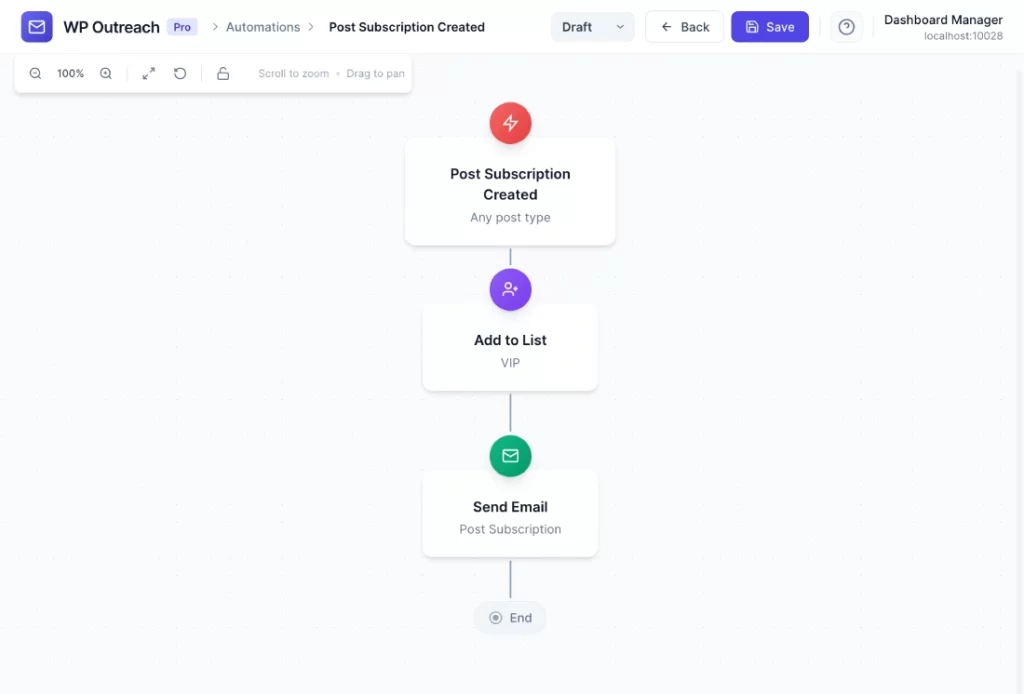
Post Subscription Created Trigger
The Post Subscription Created trigger fires when someone subscribes to receive updates for a specific post or page.
When It Fires
- Visitor fills out the post subscription form on a post/page
- User subscribes to updates via the shortcode form
Note: This is different from newsletter subscription. This is content-specific – users subscribe to updates about a particular post.
Configuration Options
| Option | Description |
|---|---|
| Post Type | Filter by post type of the subscribed content. |
Available Data
| Variable | Description |
|---|---|
{{email}} | Subscriber’s email address |
{{first_name}} | First name |
{{post_id}} | The post ID they subscribed to |
{{post_type}} | Post type |
{{post_title}} | Post title |
{{post_url}} | URL to the post |
{{subscription_type}} | Type: new_only, updates_only, or both |
Common Use Cases
Confirm Post Subscription
- Post Subscription Created
- Send Email: “You’re subscribed to {{post_title}}!”
Add to Related List
- Post Subscription Created: Post Type = “Product”
- Add to List: “Product Updates”
- Add Tag: “interested-{{post_id}}”
Setting Up Post Subscriptions
To enable post subscription forms:
- Go to WP Outreach Settings
- Enable Post Subscriptions for desired post types
- Use the shortcode
[*wp_outreach_post_subscribe]or enable auto-injection
Pro Tips
- The subscriber is also added to your main subscriber list
- Use this trigger to tag subscribers based on their content interests
- Great for blogs, documentation sites, and product pages
Last updated: January 14, 2026