
Post Published Trigger
The Post Published trigger fires when a NEW post, page, or custom post type is published for the first time.
When It Fires
- A draft post is published
- A scheduled post becomes published at its scheduled time
- A new post is created and published immediately
Note: This trigger only fires on initial publication. For updates to already-published posts, use the “Post Updated” trigger.
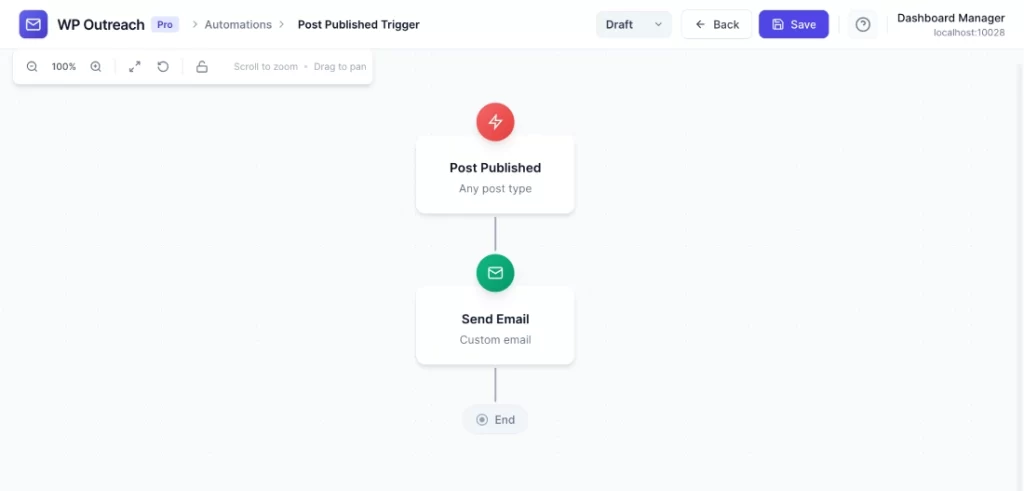
Configuration Options
| Option | Description |
|---|---|
| Post Type | Filter by post type (post, page, product, or any custom post type). Leave as “Any post type” to trigger for all. |
Available Data
| Variable | Description |
|---|---|
{{post_id}} | The published post ID |
{{post_type}} | Post type (post, page, etc.) |
{{post_title}} | Post title |
{{post_url}} | URL to the post |
{{post_excerpt}} | Post excerpt or auto-generated summary |
{{post_author}} | Author display name |
{{post_date}} | Publication date |
{{featured_image}} | Featured image URL |
Content Trigger – Recipients
Unlike subscriber-based triggers, content triggers don’t have a single subscriber. Instead, you configure who receives the email in the Send Email action:
- All subscribers in selected lists – Send to entire lists
- Post subscribers – Only subscribers who opted-in for post updates
Common Use Cases
New Blog Post Notification
- Post Published: Post Type = “Post”
- Send Email to “Newsletter” list: “New: {{post_title}}”
New Product Announcement
- Post Published: Post Type = “Product”
- Send Email to “Customers”: “Check out our new product!”
Pro Tips
- Use
{{featured_image}}in your email for visual appeal - Combine with Wait action if you want to delay sending
- Use post type filtering to send different notifications for different content types
Last updated: January 14, 2026