
Forms Triggers
WP Outreach can trigger automations based on form submissions from popular WordPress form plugins. This allows you to create automated workflows when visitors submit contact forms, signup forms, or any other form type.
Supported Form Plugins
- Contact Form 7 – The most popular free form plugin
- WPForms – Drag-and-drop form builder
- Gravity Forms – Advanced form plugin with extensive features
- Ninja Forms – Free form builder with extensions
- Formidable Forms – Advanced form and application builder
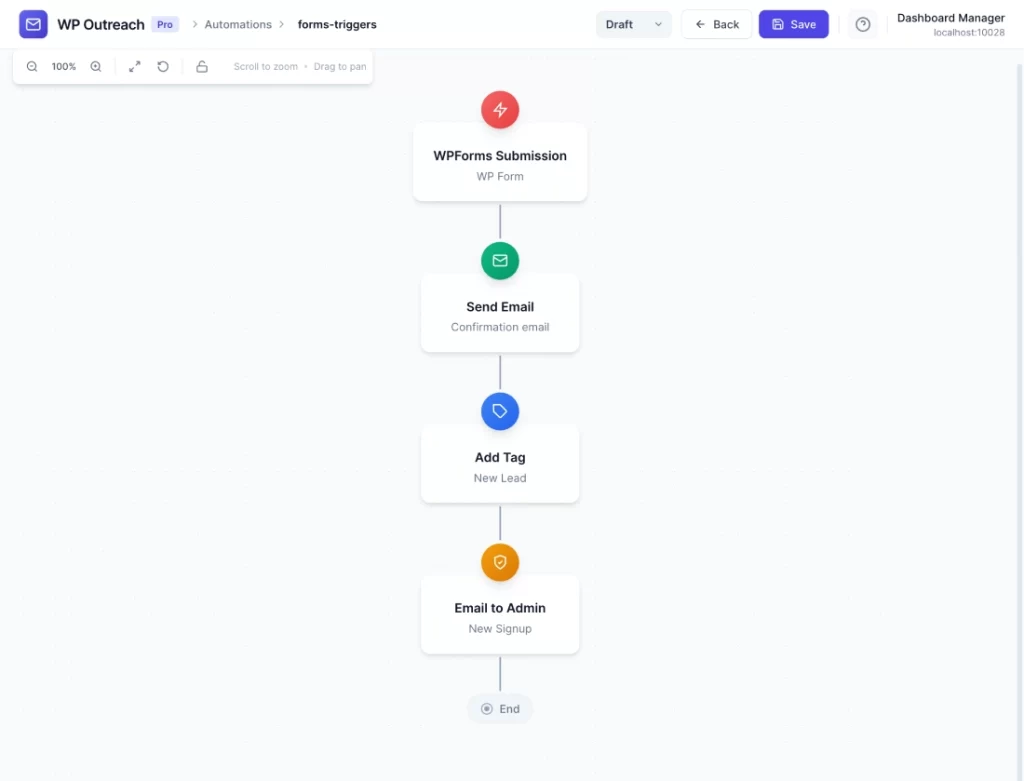
Available Triggers
Form Submitted
Fires when a visitor submits a form. The subscriber is created or matched based on the email field in the form.
Configuration Options
- Form Plugin – Select which form plugin to monitor
- Form (Optional) – Filter by specific form, or leave empty for any form
- Email Field – Specify which form field contains the email address
Available Data
| Merge Tag | Description |
|---|---|
{{subscriber.email}} | Email from form submission |
{{subscriber.first_name}} | First name (if field mapped) |
{{subscriber.last_name}} | Last name (if field mapped) |
{{form_id}} | Form ID |
{{form_name}} | Form title/name |
{{form_data.*}} | Any form field (by field name) |
{{submission_date}} | When form was submitted |
{{page_url}} | URL where form was submitted |
Common Use Cases
- Contact Form Follow-up – Send an automated confirmation when someone submits a contact form
- Lead Qualification – Tag contacts based on form answers (budget, timeline, etc.)
- Newsletter Signup – Add form submitters to newsletter list automatically
- Event Registration – Trigger event-specific email sequences
- Support Request – Send automated acknowledgment and support resources
Field Mapping
WP Outreach attempts to automatically map common form fields to subscriber data:
| Form Field Names | Maps To |
|---|---|
| email, your-email, user_email | Subscriber email |
| first_name, fname, your-name | First name |
| last_name, lname, surname | Last name |
| name (single field) | Split into first/last name |
Pro Tips
- Use form-specific triggers to create targeted follow-up sequences
- Map custom form fields to tags for better segmentation
- Combine with conditions to handle different form responses differently
- Use form field data in email personalization for relevant messaging
- Set up different automations for different form purposes (contact, quote request, demo request)
Requirements
- One of the supported form plugins must be installed and active
- Forms must have an email field for subscriber identification
Last updated: January 14, 2026