
Email Templates
Design beautiful, responsive emails with the drag-and-drop email builder and pre-built templates.
WP Outreach includes a powerful visual email builder that makes creating professional emails easy. No coding required – just drag, drop, and customize.
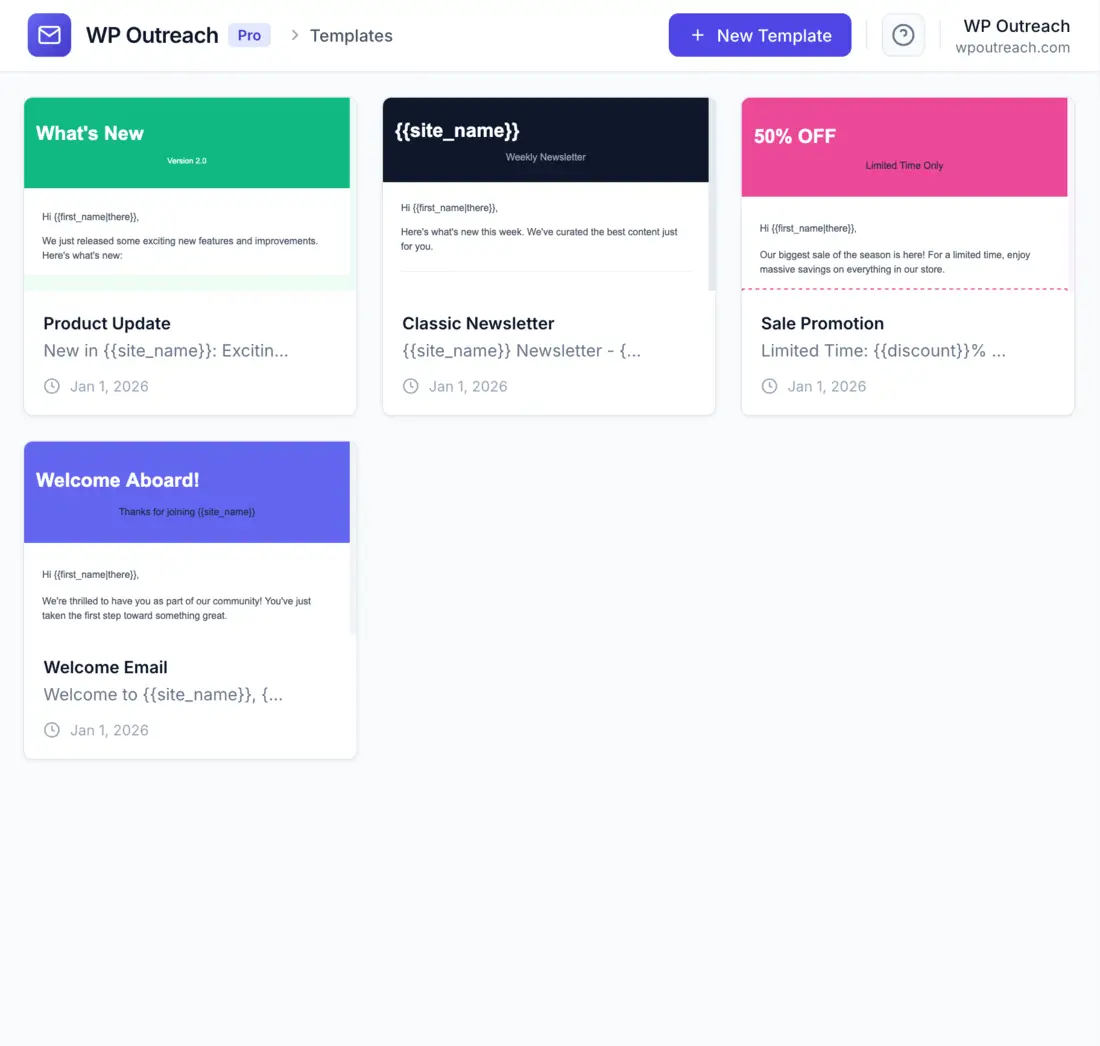
Template Library
Get started quickly with pre-built templates:
- Go to WP Outreach → Templates
- Browse the template library
- Click on a template to preview
- Click Use Template to create a copy
- Customize to match your brand
Included Templates
| Template | Best For |
|---|---|
| Welcome Email | New subscriber onboarding |
| Newsletter | Regular content updates |
| Promotional | Sales and offers |
| Announcement | News and updates |
| Product Launch | New product introductions |
| Re-engagement | Win-back campaigns |
| Minimal | Simple, text-focused emails |
The Email Builder
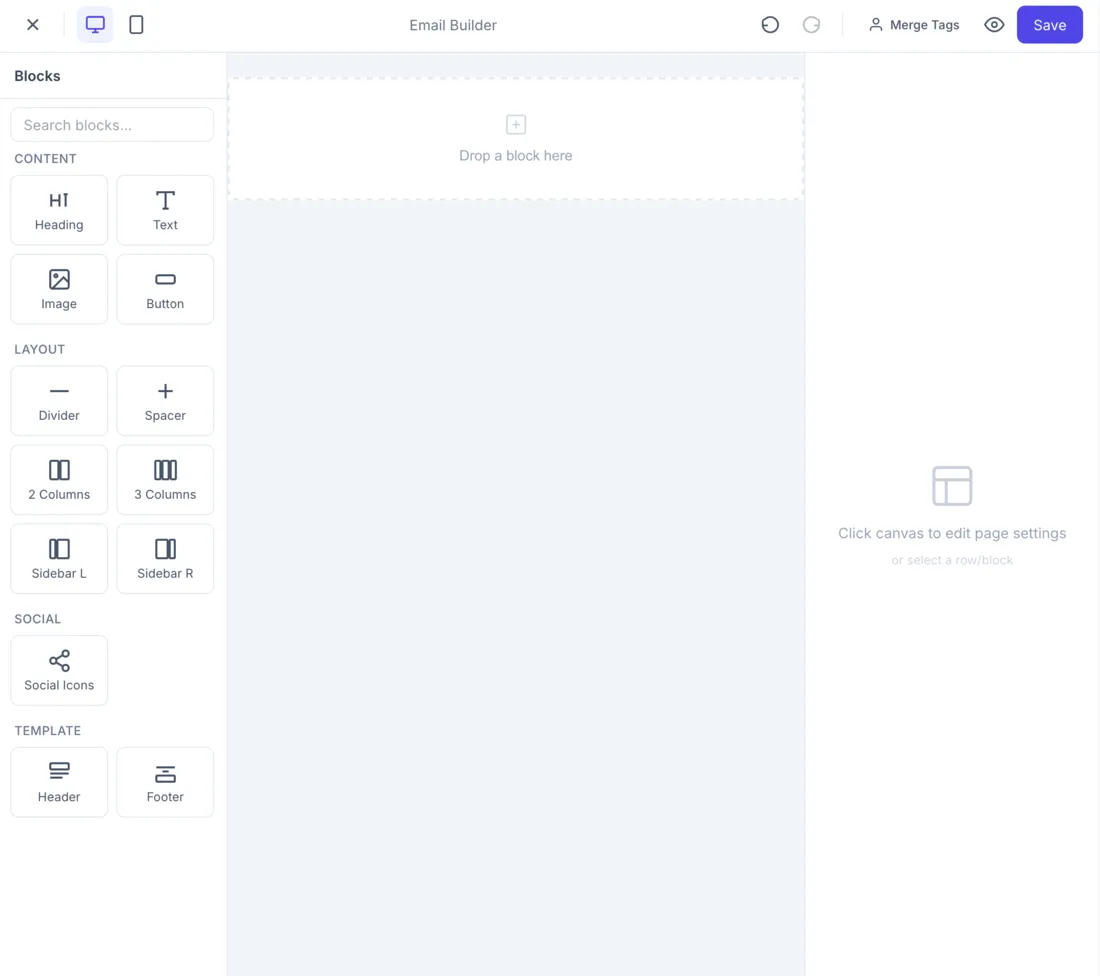
The email builder interface consists of:
- Block Palette (Left): Drag content blocks from here
- Canvas (Center): Your email design area
- Settings Panel (Right): Block and layout options
- Toolbar (Top): Preview, undo/redo, save
Content Blocks
Drag these blocks onto your canvas to build your email:
Text Block
Add paragraphs and formatted text:
- Rich text editor with formatting toolbar
- Bold, italic, underline, strikethrough
- Links and anchors
- Lists (ordered and unordered)
- Text alignment options
Heading Block
Create titles and section headers:
- Heading levels H1-H6
- Custom font size
- Color and alignment
Image Block
Add images to your emails:
- Upload from media library
- Insert from URL
- Alt text for accessibility
- Link wrapper (click to visit URL)
- Width and alignment controls
Tip: Keep images under 600px wide for best display across email clients. Use JPEG for photos and PNG for graphics with transparency.
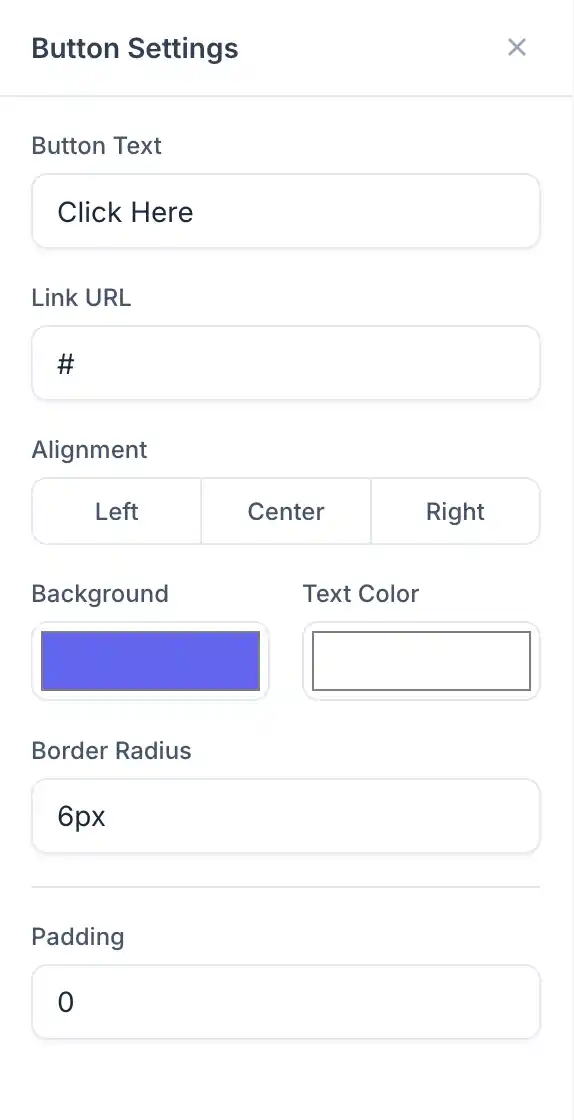
Button Block
Add call-to-action buttons:
- Button text
- Link URL
- Background color
- Text color
- Border radius
- Size (small, medium, large)
- Full width option
Divider Block
Add visual separators:
- Line style (solid, dashed, dotted)
- Line color
- Line thickness
- Width percentage
Spacer Block
Add vertical spacing between elements:
- Configurable height (px)
- Useful for visual breathing room
Social Block
Add social media links:
- Facebook, Twitter, LinkedIn, Instagram, YouTube
- Icon style (colored, monochrome)
- Icon size
- Alignment
Header Block
Pre-designed email header:
- Logo image
- Company name
- Navigation links (optional)
Footer Block
Email footer with required elements:
- Company address (CAN-SPAM)
- Unsubscribe link
- Preferences link
- Social icons
Row Layouts
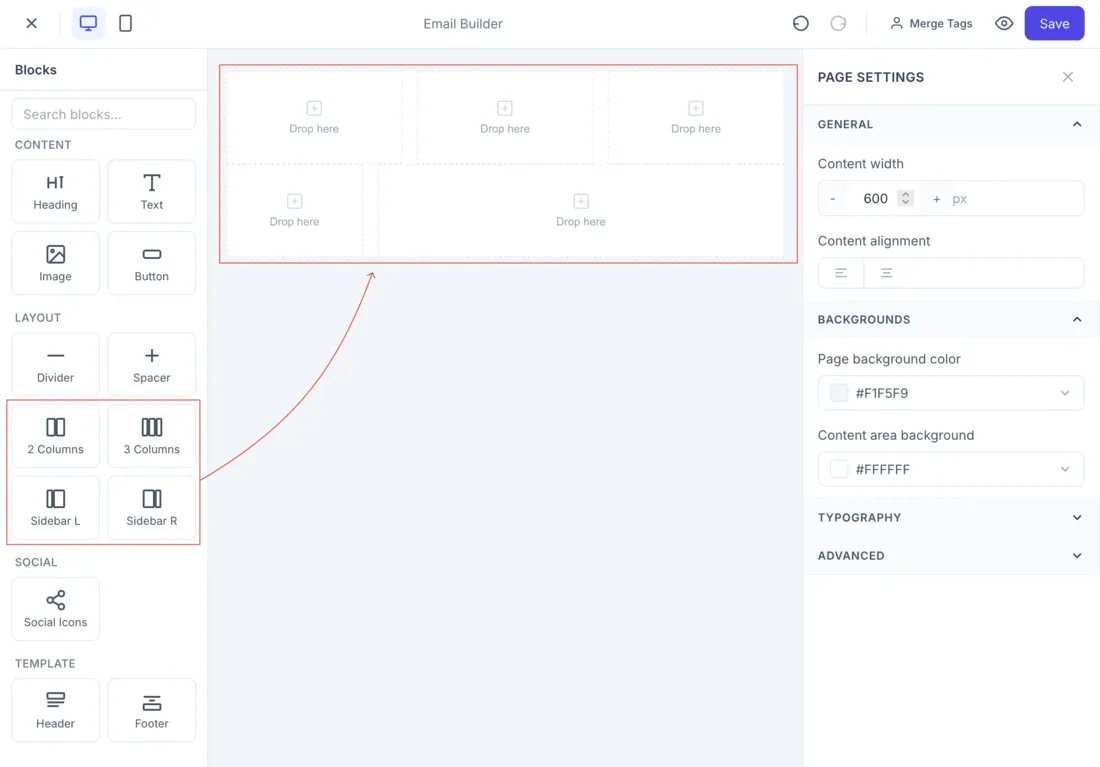
Organize content with column layouts:
Available Layouts
| Layout | Columns | Best For |
|---|---|---|
| Full Width | 1 column (100%) | Text, hero images |
| Two Equal | 2 columns (50/50) | Side-by-side content |
| Three Equal | 3 columns (33/33/33) | Feature grids |
| Four Equal | 4 columns (25/25/25/25) | Icon grids |
| Sidebar Left | 2 columns (30/70) | Image + text |
| Sidebar Right | 2 columns (70/30) | Text + image |
Row Settings
Customize each row:
- Background Color: Solid or gradient
- Background Image: With overlay options
- Padding: Top, bottom, left, right
- Border: Color and radius
Personalization
Make emails personal with merge tags:
Available Merge Tags
| Tag | Output |
|---|---|
{{ first_name }} | Subscriber first name |
{{ last_name }} | Subscriber last name |
{{ email }} | Subscriber email |
{{ unsubscribe_url }} | Unsubscribe link |
{{ preferences_url }} | Email preferences link |
Using Merge Tags
Insert tags directly in text content:
Hello {{ first_name }},

Thank you for being a valued subscriber!

If you no longer wish to receive emails, click here:
{{ unsubscribe_url }}
Fallback Values
Handle missing data gracefully:
Hello {{ first_name | default: "there" }},If first_name is empty, “there” is used instead.
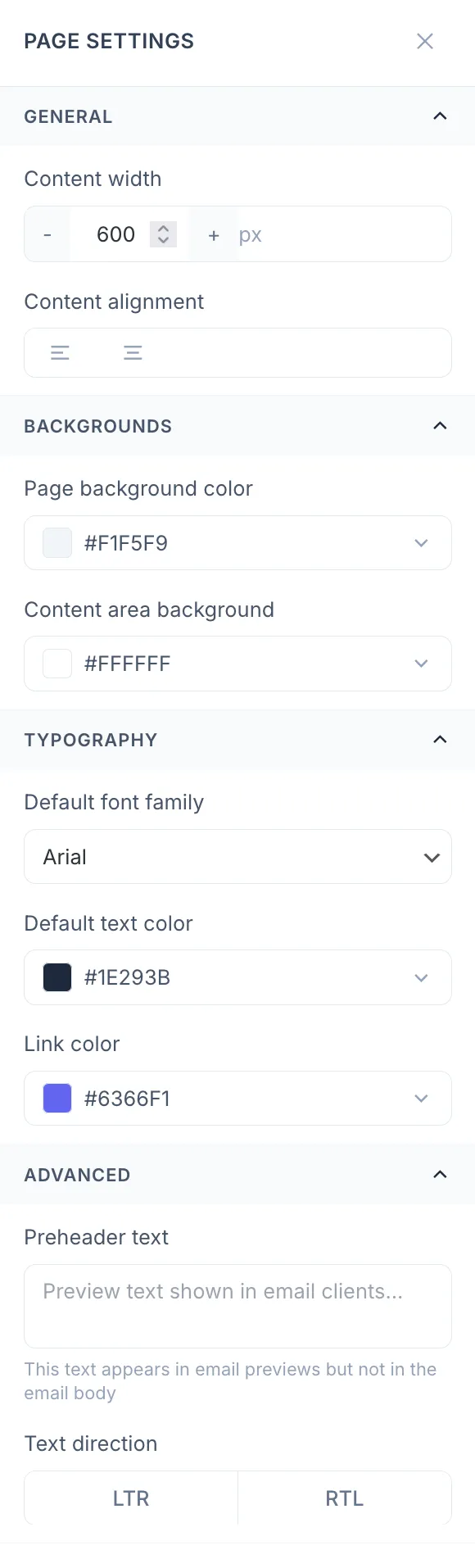
Global Styles
Set design defaults for the entire email:
Layout Settings
- Email Width: 600px recommended
- Background Color: Page background
- Content Background: Email body color
Typography
- Font Family: Choose from web-safe fonts
- Base Font Size: Typically 14-16px
- Line Height: 1.5-1.7 for readability
- Text Color: Default text color
Links
- Link Color: All links inherit this
- Underline: Show/hide underline
Preview and Testing
Desktop/Mobile Preview
Toggle between views:
- Click the Desktop icon for full-width preview
- Click the Mobile icon to see mobile rendering
- Columns stack vertically on mobile
Send Test Email
- Click Send Test in the toolbar
- Enter your email address
- Click Send
- Check the email in various clients:
- Gmail
- Outlook
- Apple Mail
- Mobile apps
Saving Templates
Save as Template
Save your design for reuse:
- Design your email
- Click Save as Template
- Enter a template name
- Click Save
The template appears in your library for future campaigns.
Edit Existing Template
- Go to WP Outreach → Templates
- Click on the template to edit
- Make changes
- Click Save
Note: Editing a template does not affect campaigns already using it. Each campaign gets a copy of the template at creation time.
Best Practices
Design
- Keep emails under 600px wide
- Use a single-column layout for mobile
- Ensure buttons are at least 44px tall (touch-friendly)
- Use high contrast for text readability
Images
- Always include alt text
- Compress images for fast loading
- Host images on a reliable CDN
- Design emails that work without images (some clients block them)
Content
- Front-load important content
- Keep copy concise
- Use clear call-to-action
- Include plain-text version for accessibility
Last updated: January 4, 2026