
Email Opened Trigger
The Email Opened trigger fires when a subscriber opens an email from your campaigns. This allows you to create engagement-based workflows that respond to subscriber activity.
When It Fires
This trigger activates when:
- A subscriber opens any email sent through WP Outreach
- The tracking pixel in the email is loaded
- Email open tracking is enabled in your settings
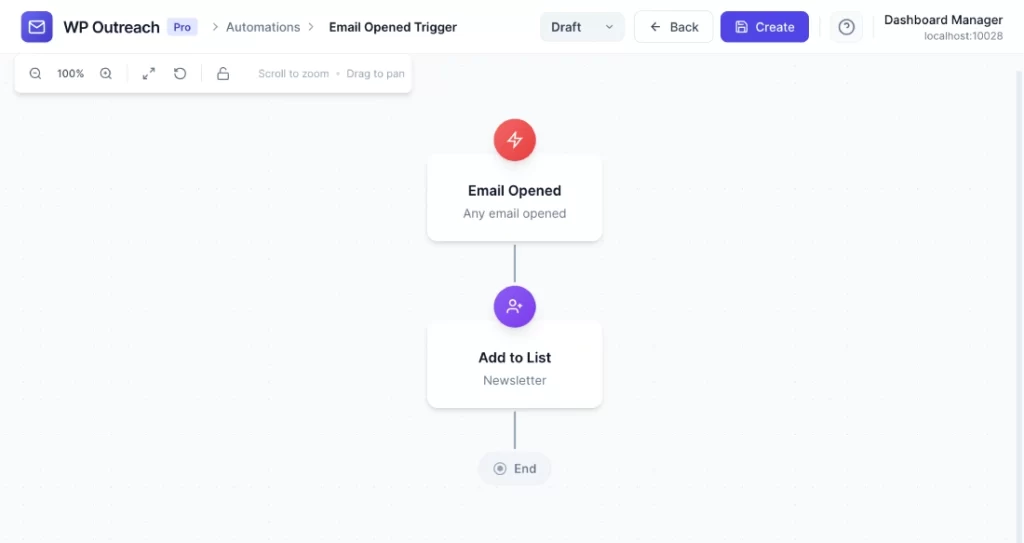
Configuration Options
Campaign (Optional)
Filter by specific campaign:
- Any Campaign – Triggers for opens on any email
- Specific Campaign – Only triggers when the specified campaign is opened
Available Data
When this trigger fires, the following merge tags are available:
| Merge Tag | Description |
|---|---|
{{subscriber.id}} | Subscriber ID |
{{subscriber.email}} | Email address |
{{subscriber.first_name}} | First name |
{{subscriber.last_name}} | Last name |
{{campaign.id}} | Campaign ID |
{{campaign.name}} | Campaign name |
{{campaign.subject}} | Email subject line |
{{opened_at}} | Date/time of open |
Common Use Cases
- Lead Scoring – Add a tag like “engaged” when subscribers open emails to track active readers
- Sales Notifications – Notify sales team when a prospect opens a proposal email
- Follow-up Sequences – Trigger follow-up content after initial email is opened
- Engagement Tracking – Move engaged subscribers to a “Hot Leads” list
Pro Tips
- Email opens are tracked via a tiny invisible image – some email clients block these by default
- Combine with “Email Clicked” trigger for more accurate engagement tracking
- Use campaign filtering to create specific workflows for important campaigns
- Consider that open tracking is not 100% accurate due to email client variations
Last updated: January 14, 2026