
Email Clicked Trigger
The Email Clicked trigger fires when a subscriber clicks any link in your emails. This is one of the strongest engagement signals and allows you to create highly targeted follow-up workflows.
When It Fires
This trigger activates when:
- A subscriber clicks any tracked link in an email
- Link tracking is enabled (default behavior)
- The click is registered through WP Outreach tracking
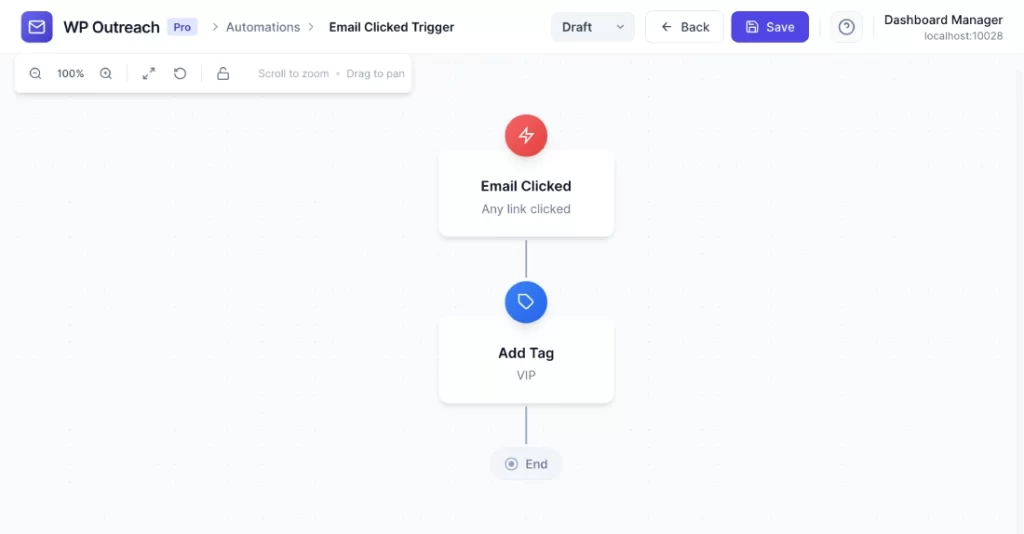
Configuration Options
Campaign (Optional)
Filter by specific campaign:
- Any Campaign – Triggers for clicks in any email
- Specific Campaign – Only triggers for clicks in the specified campaign
Link URL (Optional)
Filter by specific link:
- Any Link – Triggers for any link click
- Specific URL – Only triggers when a specific link is clicked (supports partial matching)
Available Data
When this trigger fires, the following merge tags are available:
| Merge Tag | Description |
|---|---|
{{subscriber.id}} | Subscriber ID |
{{subscriber.email}} | Email address |
{{subscriber.first_name}} | First name |
{{subscriber.last_name}} | Last name |
{{campaign.id}} | Campaign ID |
{{campaign.name}} | Campaign name |
{{campaign.subject}} | Email subject line |
{{link.url}} | The clicked URL |
{{clicked_at}} | Date/time of click |
Common Use Cases
- Interest-Based Tagging – Tag subscribers based on which links they click to segment by interest
- Product Interest Tracking – When someone clicks a product link, add them to a product-specific follow-up sequence
- Sales Alerts – Notify sales immediately when a prospect clicks a pricing or demo link
- Content Preferences – Track which content types generate the most engagement
- Hot Lead Identification – Move subscribers who click multiple links to a priority list
Pro Tips
- Link clicks are more reliable than opens for measuring engagement
- Use URL filtering to create specific workflows for high-value pages (pricing, demos, etc.)
- Combine with conditions to only trigger once per subscriber per campaign
- Consider adding UTM parameters to links for additional tracking in Google Analytics
Last updated: January 14, 2026